Metals のビルドサーバーとして sbt を使う
目的
VS Code で Metals のビルドサーバーとして sbt を使いたい。
手順
VS Code で Metals を使うには:
- Extensions タブから Metals をインストールする:
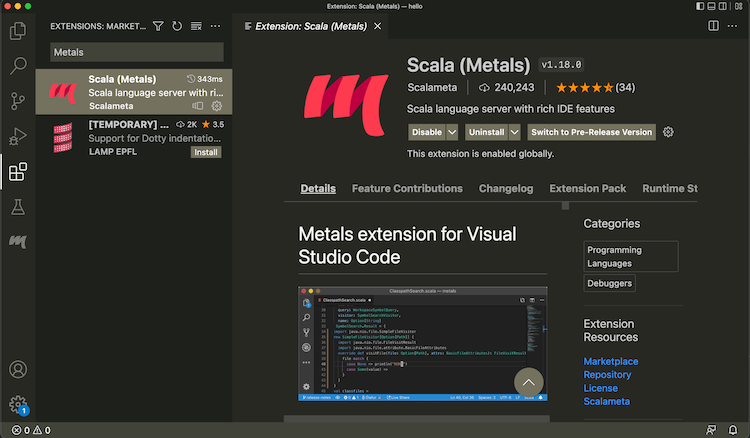
build.sbtを含むディレクトリを開く。- メニューバーから View > Command Palette...(macOS では
Cmd-Shift-P)から「Metals: Switch build server」を実行し「sbt」を選択する:
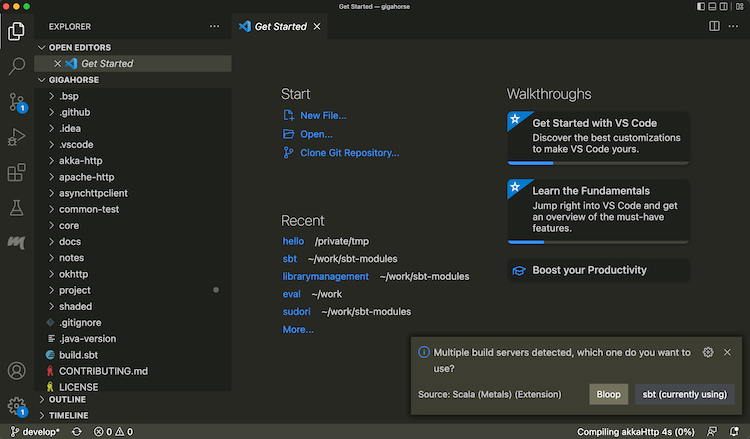
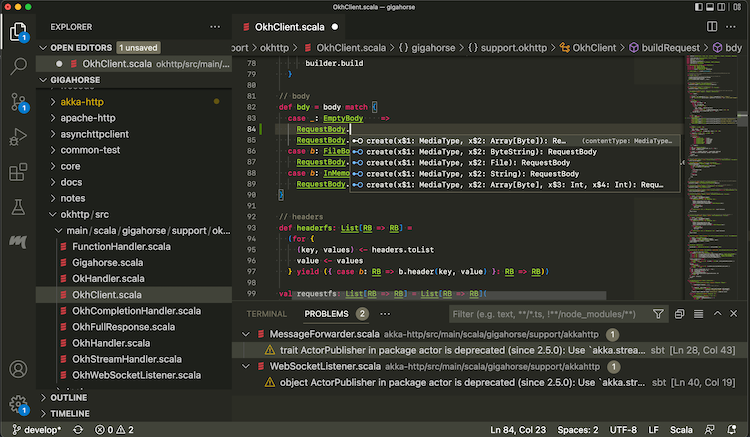
- インポートが完了したら、Scala ファイルを開いてコード補完が動作することを確認する:
一部のサブプロジェクトを BSP から除外するには、次のセッティングを使う:
bspEnabled := false
コードを変更して保存すると(macOS では Cmd-S)、Metals が sbt を呼び出して実際のビルドを行う。
sbt セッションへのログイン
Metals が sbt をビルドサーバーとして使っている間、シンクライアントで同じ sbt セッションにログインすることもできる。
- Terminal セクションで
sbt --clientと入力する:
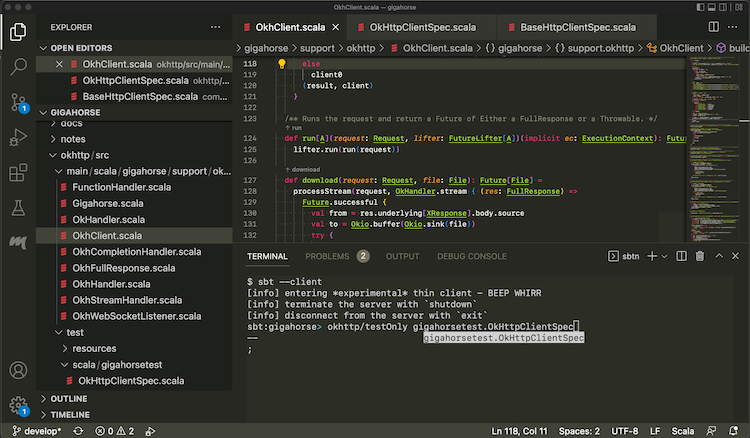
これで Metals が起動した sbt セッションにログインできる。その中で testOnly や他のタスクを、すでにコンパイル済みのコードに対して呼び出せる。